Preparing Ubuntu to Write Latex Documents
That’s a self-reference post that might be useful for you too. I just installed Ubuntu in a new laptop and I was surprised by how easy is to install a Latex editor and the packages needed to compile and render documents. As a Texmaker user, I’m going to explain the installation using this editor.
On Ubuntu 10.04 or higher, go to Applications – Ubuntu Software Center. Type “Texmaker” in the search field on the top right. Texmaker will appear in the list, then you can click on “Info” to get more information about it, as shown in the figure below.
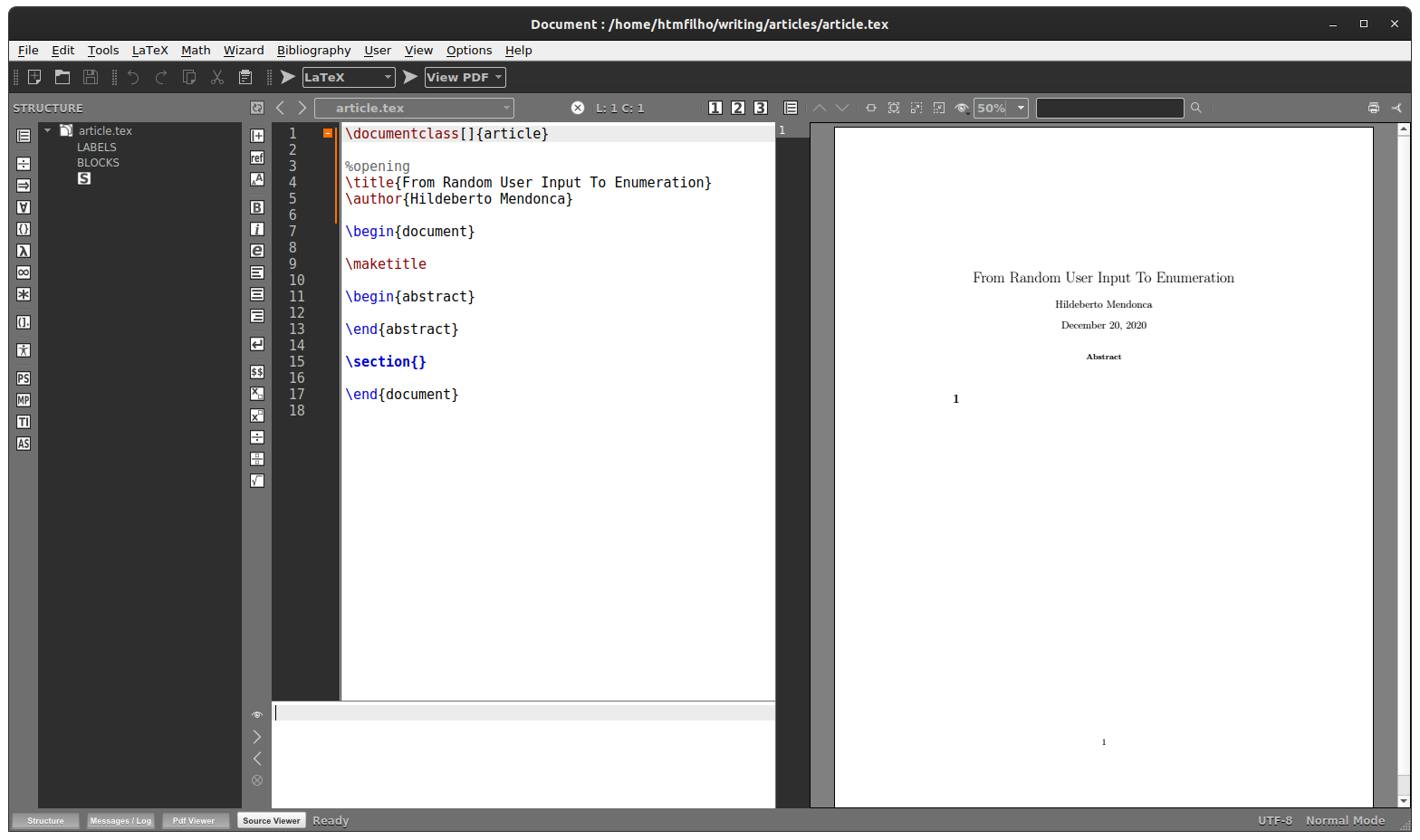
Press “Install” and have Texmaker and its dependencies installed on your Ubuntu system. TeX Live is the Latex system installed. Notice that you don’t have to do anything to install TeX Live, it will just come together with Texmaker. The installation process will take some time because TeX Live is a big package and you will probably need a good internet connection.
Unfortunately, just a basic version of TeX Live is installed and you will probably have problems trying to write some little advanced texts. To handle that, I suggest the installation of additional texlive packages, which are:
- texlive-bibtex-extra
- texlive-fonts-extra
- texlive-fonts-recommended
- texlive-science
Go to System – Administration – Synaptic Package Manager. Use the search box to find the packages above and check them for installation. That’s all you have to do to start writing high quality documents.
Recent Posts
Can We Trust Marathon Pacers?
Introducing LibRunner
Clojure Books in the Toronto Public Library

Once Upon a Time in Russia

FHIR: A Standard For Healthcare Data Interoperability

First Release of CSVSource
Astonishing Carl Sagan's Predictions Published in 1995

Making a Configurable Go App

Dealing With Pressure Outside of the Workplace
Reacting to File Changes Using the Observer Design Pattern in Go

Provisioning Azure Functions Using Terraform
Taking Advantage of the Adapter Design Pattern

Applying The Adapter Design Pattern To Decouple Libraries From Go Apps

Using Goroutines to Search Prices in Parallel
Applying the Strategy Pattern to Get Prices from Different Sources in Go